Why are "Annual Revenue" and "How Did You Hear About Us?" not mapping to HubSpot from the Book a Demo form?
Last updated: July 30, 2026
Context
When users submit the "Book a Demo" form, most fields map correctly to HubSpot (e.g., Work Email, First Name, Last Name, Company Website). However, the following two fields may not populate in HubSpot as expected:
What is your annual revenue? → Annual Revenue
How did you hear about us? → How did you hear about us?
Answer
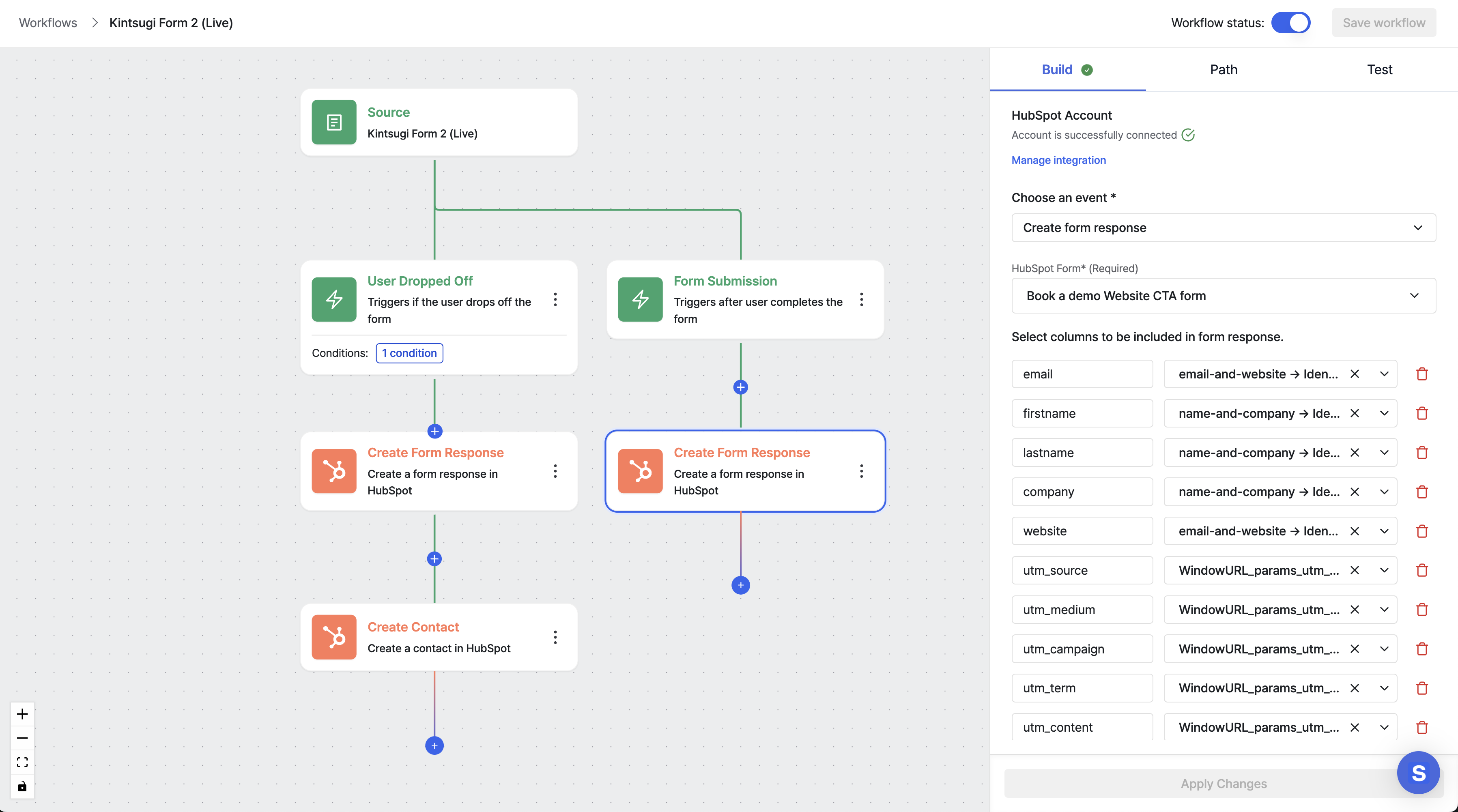
This issue occurs because the HubSpot workflow contains both a Create Form Response node and a Create Contact node, but the Create Contact node is only triggered for partial form responses. If the "Annual Revenue" and "How did you hear about us?" fields are not included in the HubSpot form itself, they will not be captured and mapped correctly.
To resolve this, follow these steps:
Add the Annual Revenue field to the corresponding HubSpot form (e.g., the partial/Book a Demo form in HubSpot).
Add the How did you hear about us? field to the same HubSpot form.
Once both fields are added to the HubSpot form, update the workflow node mapping to include these two fields so they are correctly passed from the form submission to the contact record.
After completing these steps, submissions from the Book a Demo form should correctly populate both the Annual Revenue and How did you hear about us? fields in HubSpot.
Below is a reference view of the HubSpot workflow showing the form submission path: